
Promo

⚡ 2026 Hurricane Season Promotion: Save 20% on all plans and services with code HURRICANE2026 at checkout!

Interactive demo · No account required

See the product before you sign up

Explore our live demo vault — the same dashboard customers use — then choose phone, 360°, or Concierge capture for your home.

How Cadastre Home works — capture paths and interactive demo

5 tabs

in the interactive demo vault

Demo

same dashboard as customers

25

free items — no credit card

3 paths

Phone · 360° · Concierge

Tamper-verified SHA-256 report hashes Forensic PDF + adjuster CSV exports Full vault backup — every plan CSV / Excel inventory import No credit card for Free Starter

This is not a slideshow — it is the real product

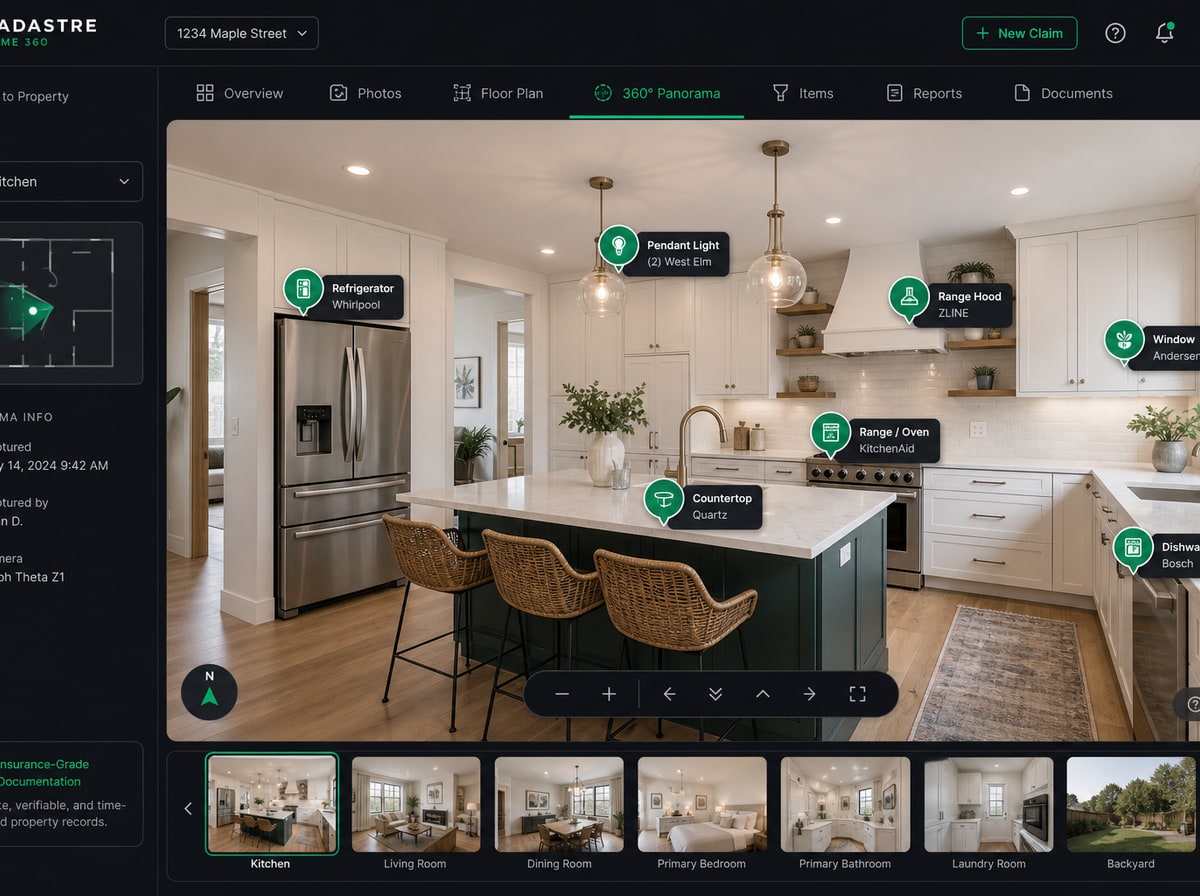
Our demo vault runs the same dashboard you get when you sign up: Vault Health scores, interactive room panoramas with item markers, inventory ledgers, floor plans, and export verification. Click through every tab — no login, no sales call.

How it works

1

Open the Overview tab

In the demo, Vault Health shows verification score, room completeness, and next actions — the same command center you get after signup.

2

Walk Capture and Verify

See how room capture progress feeds the Verify ledger — AI checklist, inventory, and room panoramas with item markers in one workflow.

3

Check export verification

Open Export & share to see how a sample report hash works. Then create your own vault when you are ready to document your address.

Just your phone is fine

No special camera required on Free Starter — walk through each room with your phone and build a verified record at your own pace.

Inside the demo vault — tab by tab

Every tab in the interactive demo mirrors what you will use to document your own home. Explore each one, then start your vault with the same workflow.

Demo tab · Overview

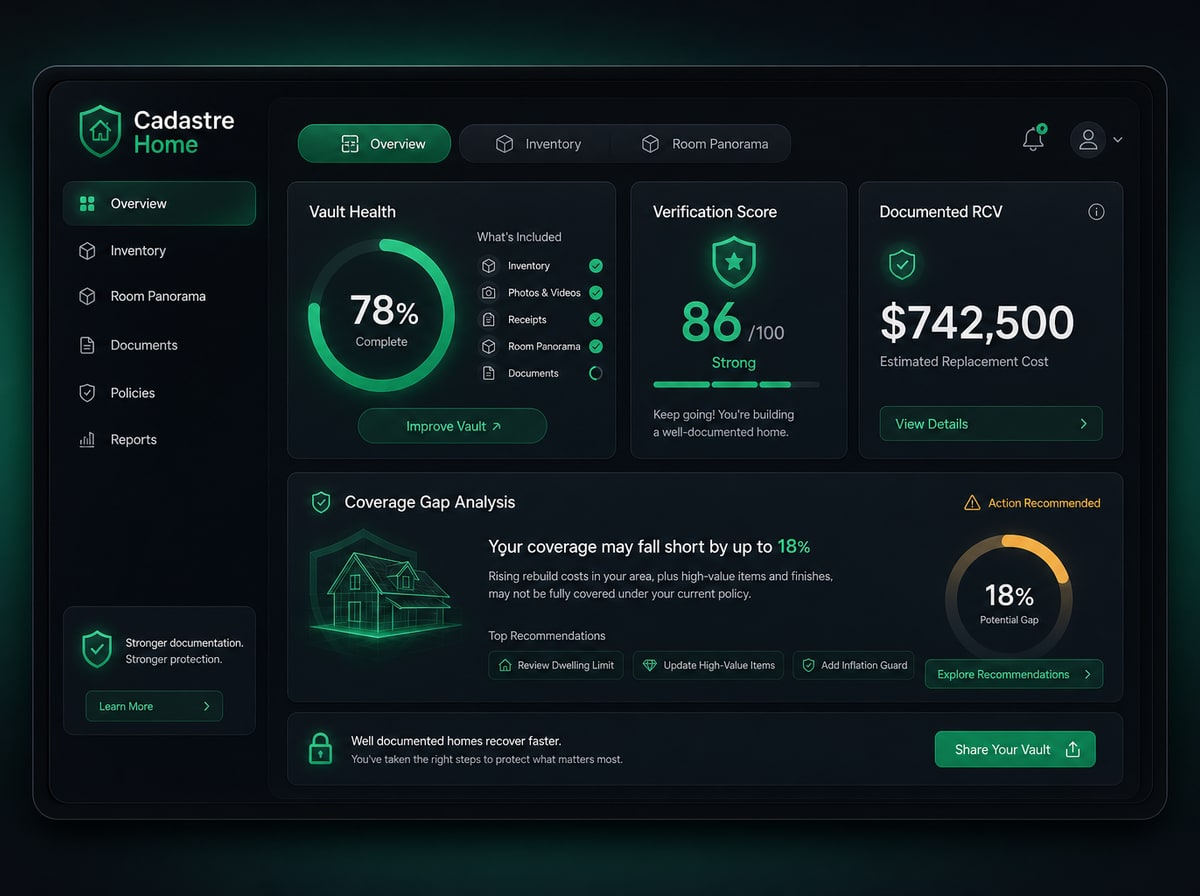
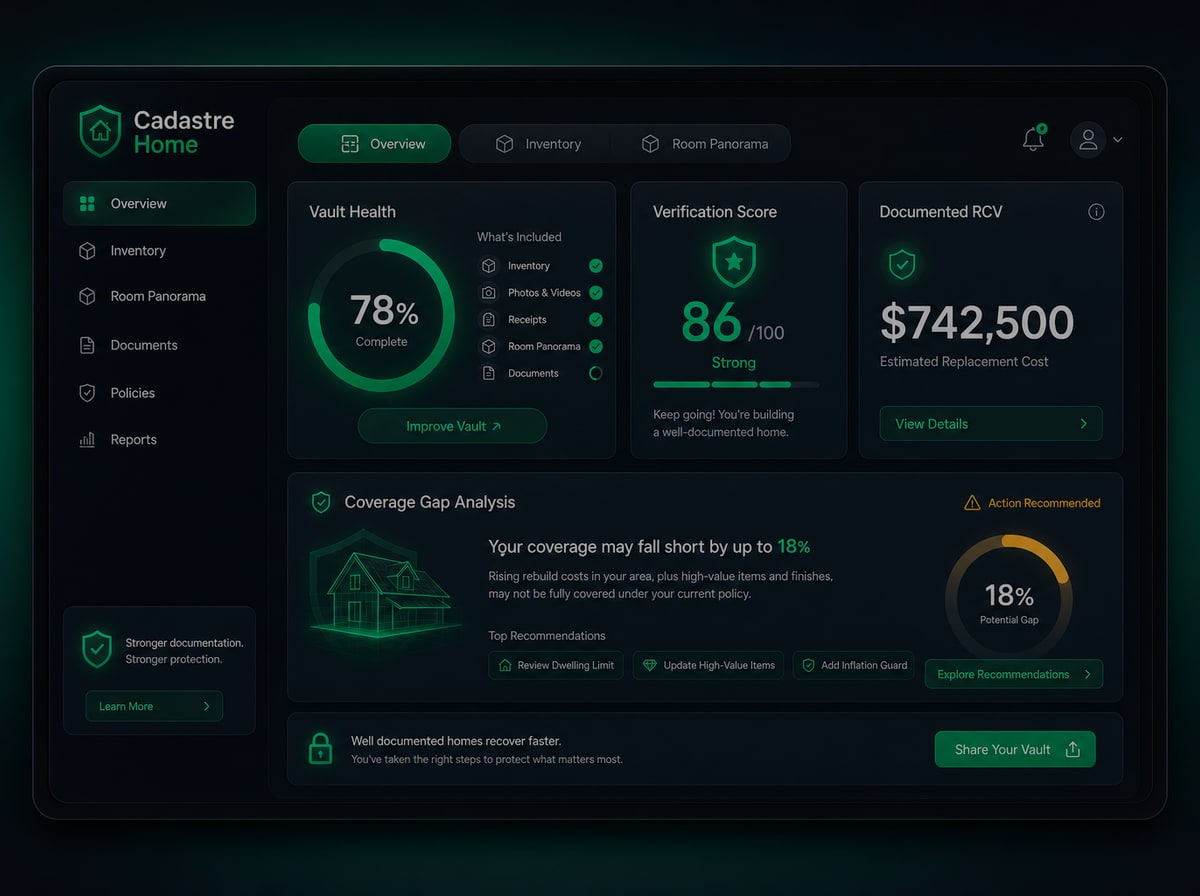
Vault Health at a glance

Your command center shows verification score, room completeness, coverage vs policy limits, and the next actions to strengthen your record — before an adjuster ever asks.

  • Verification score updates as you attach receipts and confirm items
  • Coverage gap narrative compares documented value to your contents limit
  • Disaster memory: FEMA flood zone and local declared-disaster history
  • Clear next steps — no guessing what to document next
See overview in the demo →
Demo vault overview — Vault Health dashboard
Demo tab · Capture

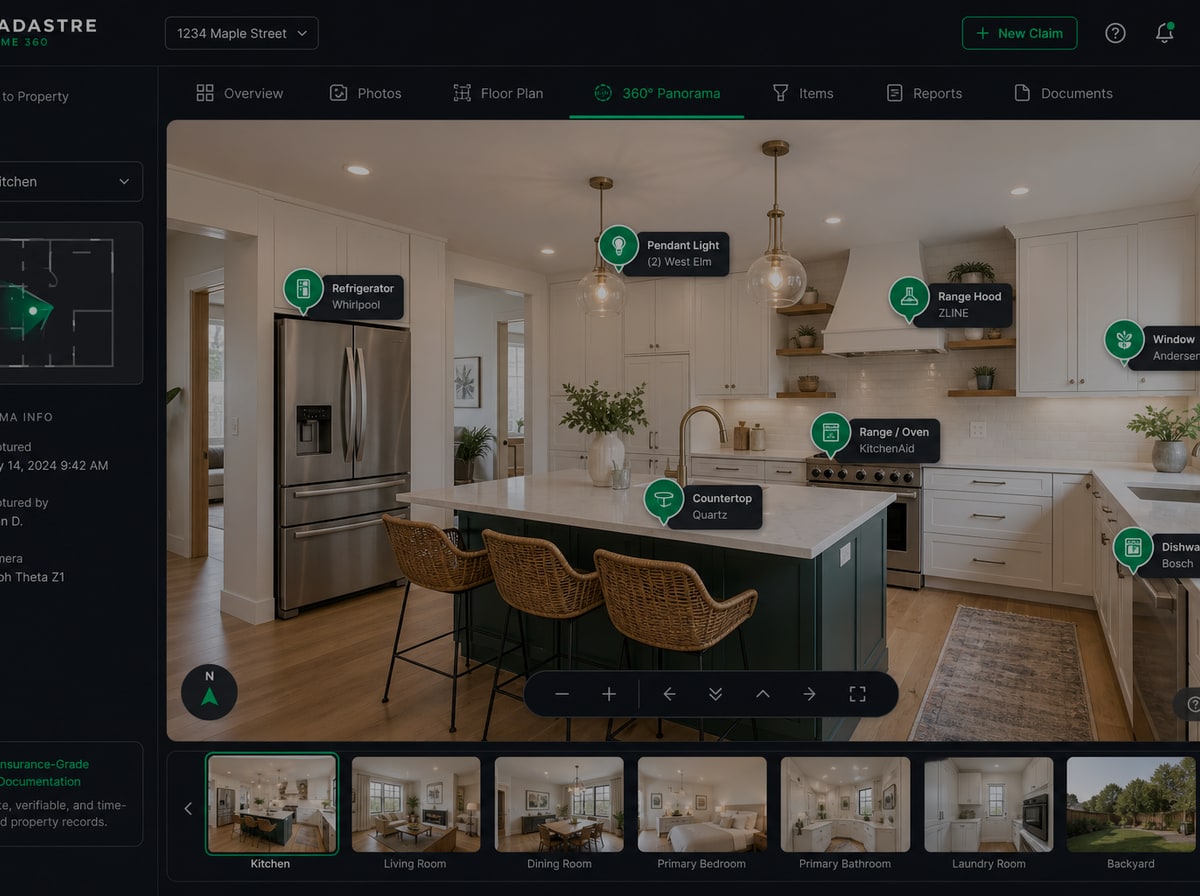
Room photos and 360° panoramas

Work room by room — upload phone photos or Insta360 panoramas, track capture progress, and set cover images that anchor AI detection and verify workflows.

  • Per-room capture grid with progress metrics
  • Phone photos on every tier; 360° uploads on Plus Safe & Pro
  • Dedicated capture session for walkthroughs and batch uploads
  • Cover panorama selection drives hotspot placement in Verify
See capture in the demo →
Demo vault room panorama — 360° viewer with item markers
Demo tab · Verify

AI checklist, inventory, and room panoramas

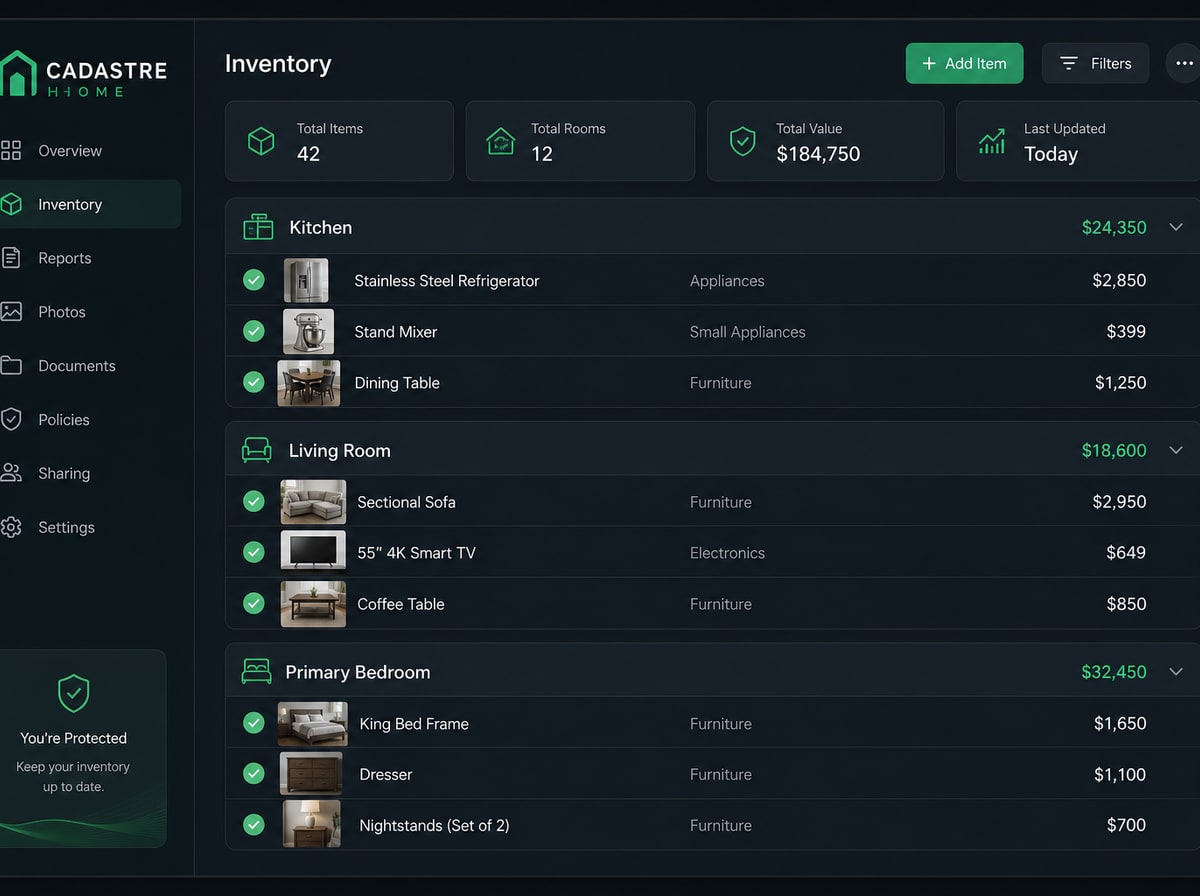
Confirm AI -detected items in a checklist, browse verified inventory, and explore interactive room panoramas with item markers — all in one ledger workspace.

  • AI checklist surfaces detected items for one-click approval
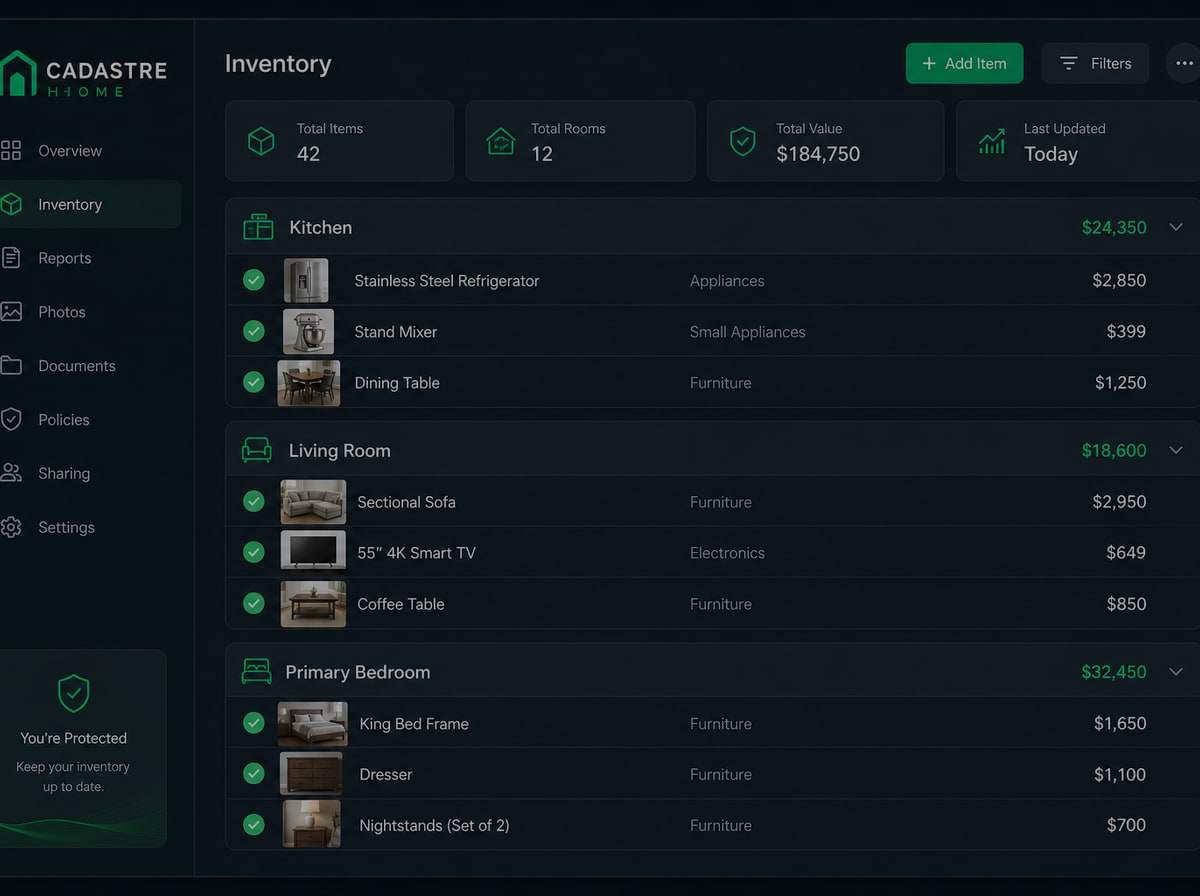
  • Inventory tab with receipts, serial plates, and replacement cost lookups
  • Room panorama viewer ties every asset to a location adjusters can explore
  • Same verify workspace your adjuster sees in forensic exports
See verify in the demo →
Demo vault inventory — room-by-room item list
Demo tab · Document

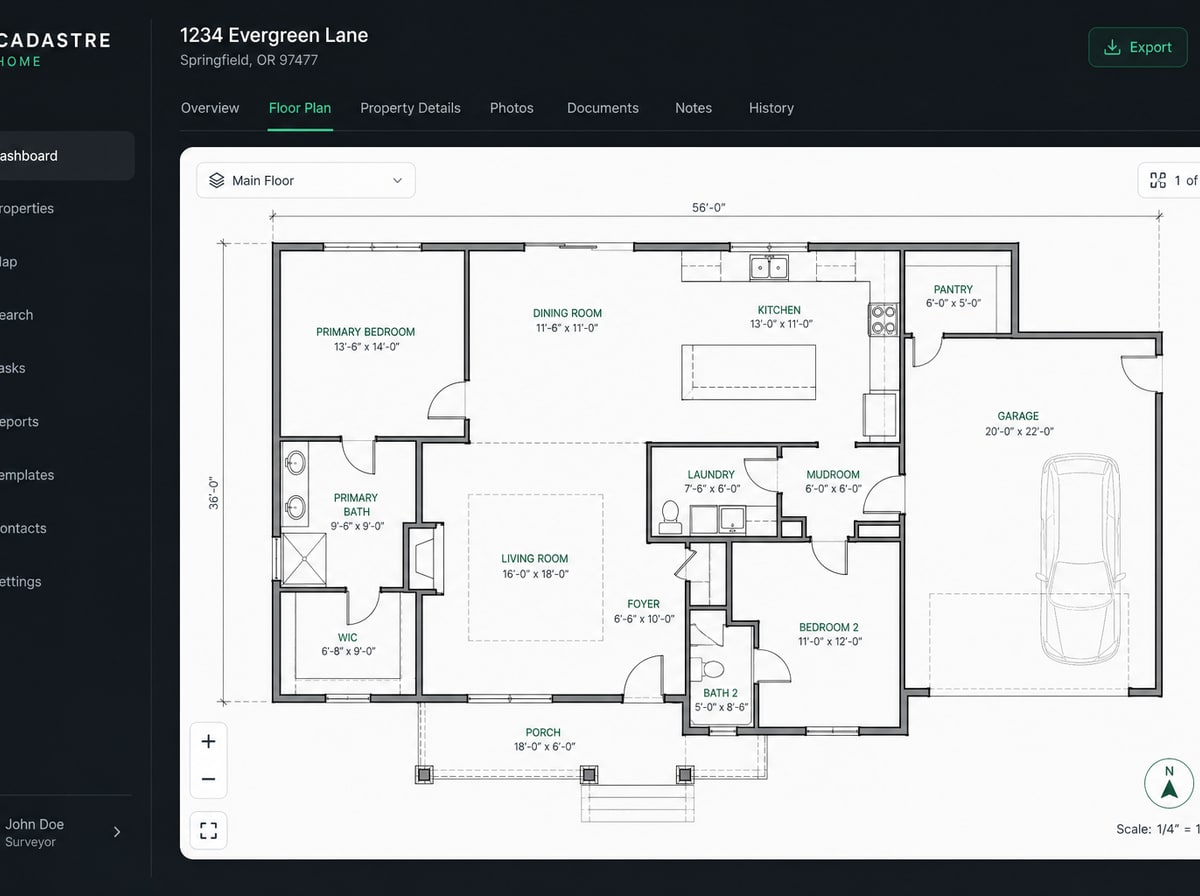
Regional hazard data and floor plan

Pull disaster memory for your address and upload a property floor plan — layout context agents and adjusters need, included automatically in forensic exports.

  • FEMA flood zone and declared-disaster history for your property
  • Floor plan PDF or PNG upload on Plus Safe, Pro Vault, and Concierge
  • Included in agent share links and forensic report appendix
  • Concierge capture can deliver a professional floor plan on-site
See document in the demo →
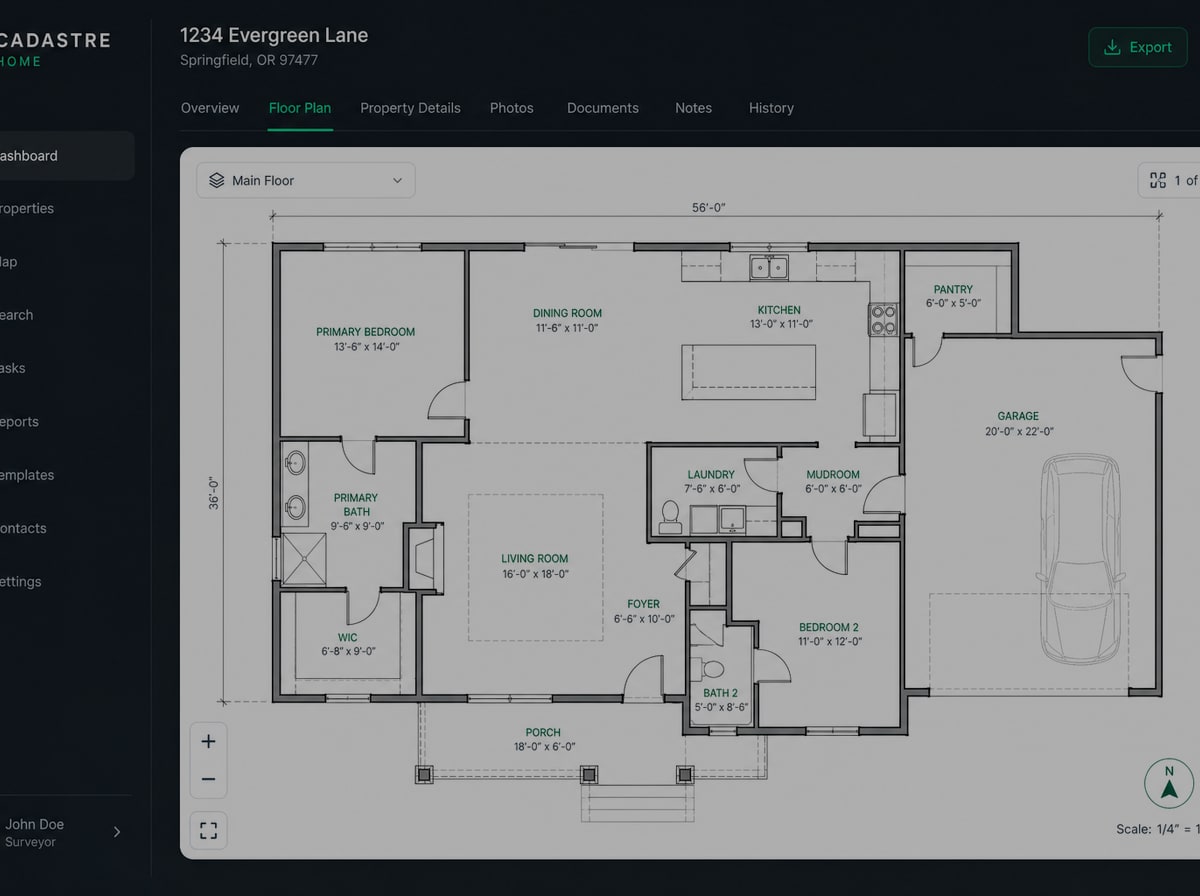
Demo vault floor plan — property layout
Demo tab · Evacuation prep

Know where originals are — without uploading them

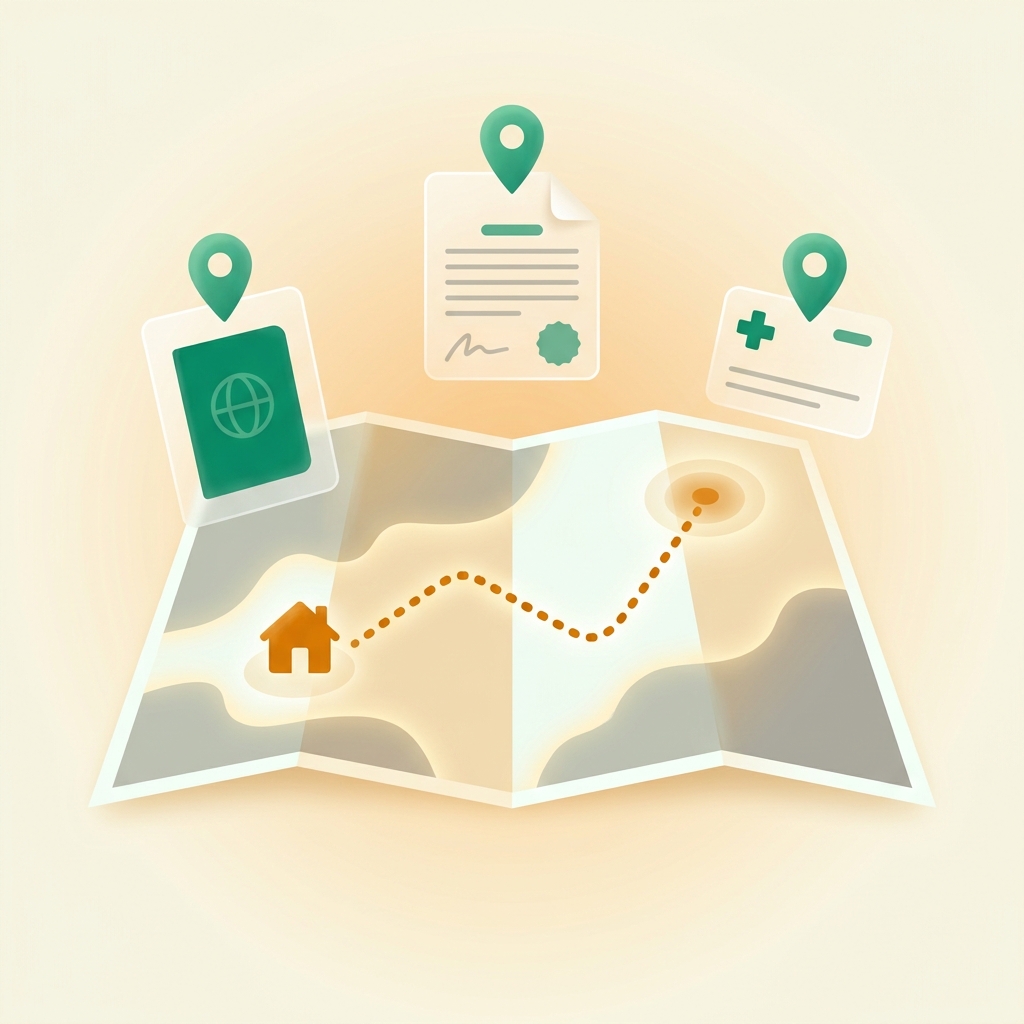
Record where passports, deeds, and insurance policies live in your home. Cadastre Home never stores copies — your evacuation prep PDF is a location checklist for go-bag planning.

  • Category checklist: ID, insurance, medical, financial, and property documents
  • Optional notes per item — safe combinations, attorney contact, renewal dates
  • Included in evacuation prep PDF on Basic+ and auto-embedded in vault backups
  • Pair with portable-item tagging in inventory for a complete grab-list
See evacuation prep in the demo →
Demo tab · Export & share

Adjuster-ready exports with tamper verification

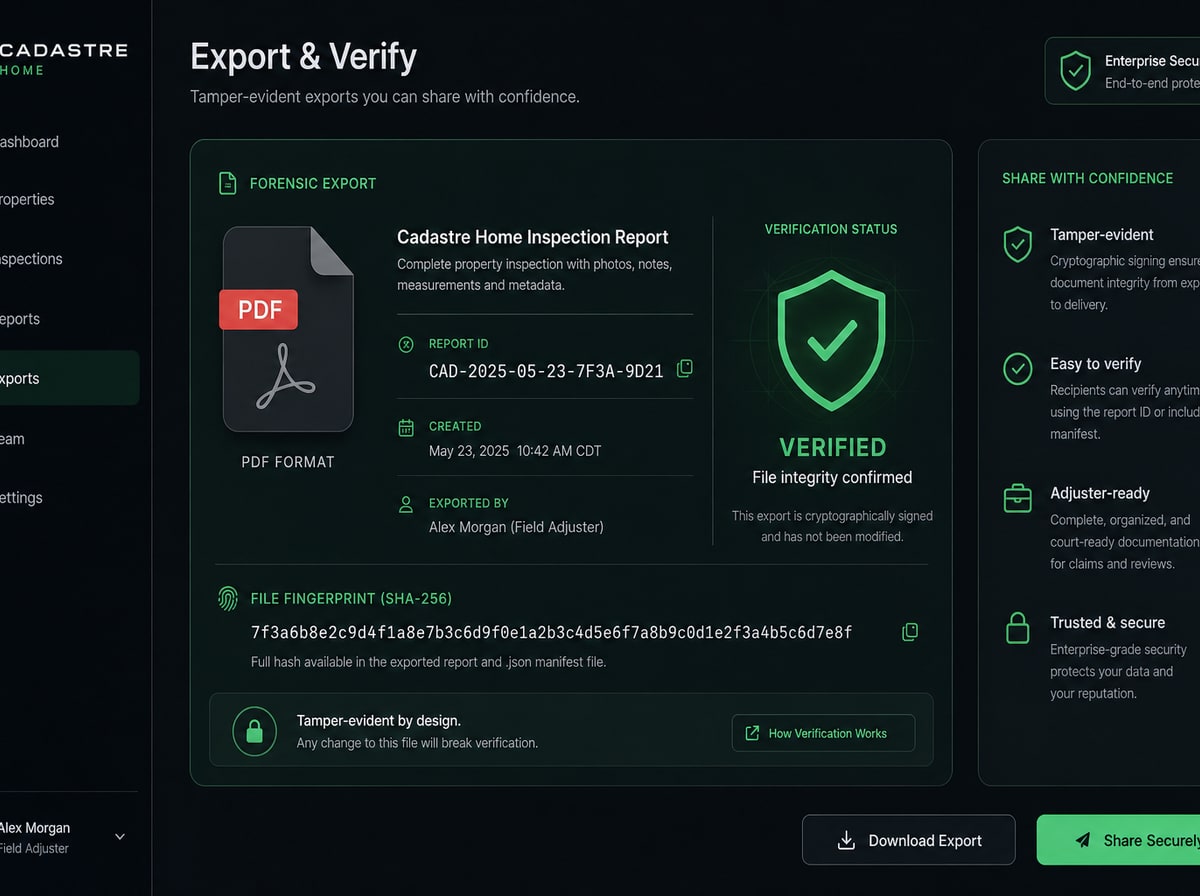
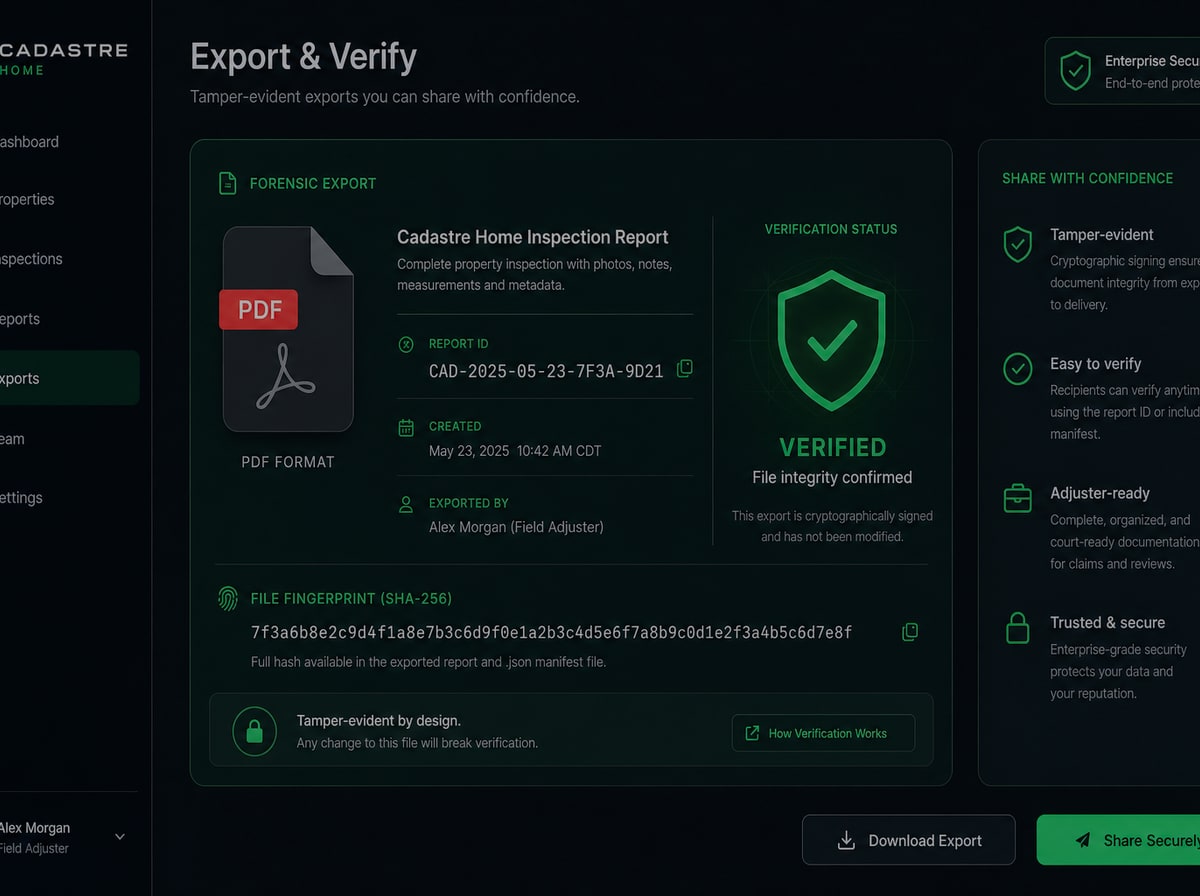
Generate forensic PDF , Excel, adjuster contents CSV , and Schedule of Loss with retailer links. Every report includes a SHA-256 hash anyone can verify on our public verify page.

  • Structured documentation adjusters import into estimating workflows
  • Public verify URL proves the report was not altered after export
  • Replacement cost links and floor plan appendix on supported tiers
  • Re-download the same verified bytes anytime from your dashboard
See export & share in the demo →
Demo vault export — tamper-evident SHA-256 verification

Choose how you capture

Same vault either way — pick the path that fits your home and schedule, then try the demo to see the result.

Phone walkthrough

Free Starter and Basic — standard photos room by room. Prep first, then shoot.

Open Capture Guide

DIY 360°

Plus Safe and Pro Vault — one Insta360 shot per room. See cameras matched to your plan.

Recommended gear

Concierge Capture

Skip the gear. Certified partners shoot on-site and pre-seed your vault.

Request Concierge

Ready to document your home?

Try the demo first if you want proof — then create your free vault and use the exact same interface for your address. Start with a phone walkthrough and upgrade when you want 360° panoramas or forensic exports.

Free Starter: 25 items · Cancel anytime · Same dashboard as the demo

Common questions

Continue exploring

Saw enough? Join for launch access.

Public signup opens at launch. Try the demo now, then join the waitlist for your own vault.

No credit card for Free Starter · Cancel anytime · Upgrade when ready